
People Directory Plus: The employee directory for SharePoint Online
Find people, skills and org info in seconds. Fast search and filters, rich profiles, an org chart and Microsoft Teams integration, in a native SPFx web part that works out of the box and adapts to your fields, layout and branding.
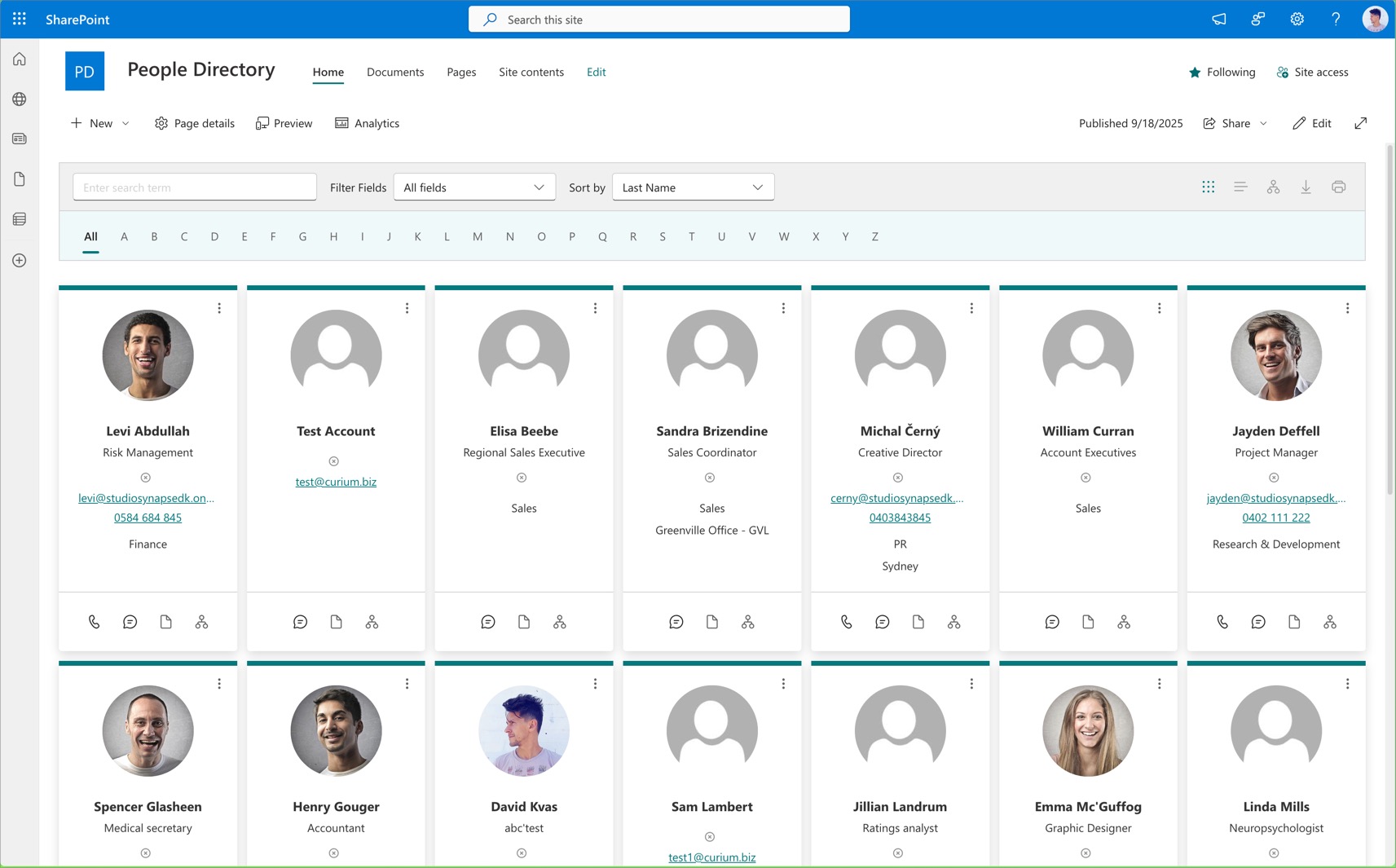
Everything you need to find people in SharePoint
Reduce time-to-info and improve SharePoint adoption with fast, accurate people search.
Find people fast
Search & custom filters
Find the right person by name, department or title. No more outdated lists or email chains.
Clickable skill tags
Click a skill on any card to see everyone who has it.
Org chart view
Reporting lines and team structure, with search, department colours and SVG export.
Card and table views
Pick a view, tailor it to your org, and export to CSV or Excel.
Shareable profile links
The URL updates as you browse, so any profile can be sent via Teams, email or chat.
Connect instantly
Microsoft Teams integration
Chat, call, video call or schedule a meeting from a profile card in one click.
Presence & photos
Real-time presence and Microsoft 365 profile photos.
Out of office & local time
See out-of-office status and local time before you reach out.
Celebrate your people
Birthdays & work anniversaries
A collapsible banner highlights upcoming milestones across the team.
New hire spotlight
Everyone who joined in the last 90 days, plus favourites and recently viewed profiles.
Make it yours
Custom templates
Show the fields that matter: office, skills, even favourite animal.
7 languages
English, Czech, Danish, French, German, Italian and Spanish.
Secure by design
Uses your Microsoft 365 data and permissions. People only see what they’re allowed to see.
See it in action
People Directory Plus pricing
One-time perpetual licences in US dollars: Regular $799, Premium $1,499, Enterprise $1,999. Future updates and unlimited users are included in every plan.
Regular
- Lifetime use, no renewal needed
- Future updates included
- Unlimited users
- SharePoint-hosted
- Installation and customisation not included
Premium
- Everything in Regular
- 6 hours of expert setup, customisation or support (worth $940 as support packages)
Enterprise
- Everything in Regular
- Source code access for review, audit and customisation
- Full technical documentation
- Built for corporate and government compliance
Upgrade to People Directory Plus
Employee Directory is a legacy app and is no longer being developed. Existing customers can unlock every People Directory Plus feature, with future updates included.
Support packages
Prepaid hours for setup, customisation or advice from the team that builds the app.
Secure checkout with PayPal. After payment, send us your SharePoint URL and we’ll email your licence key within 24 hours.
Does it work with Modern and Classic pages?
Yes. People Directory Plus supports SharePoint Online on both Modern and Classic pages.
Is there a free trial?
Yes. Download the full version and try it free. No credit card required.
How is it licensed?
Perpetual licence with free updates and no user limits. Plans start at $799 USD, paid once.
Can I upgrade from Employee Directory?
Yes. Employee Directory is a legacy app and is no longer being developed. Existing customers can upgrade to People Directory Plus for $249 USD.
Is it customisable?
Yes. It works out of the box and is fully customisable (fields, layout, branding and actions) without heavy effort.
Does it respect SharePoint permissions?
Yes. It uses the data and permissions from your Microsoft 365 tenant and only shows information your users are allowed to see.
Which languages are supported?
English, Czech, Danish, French, German, Italian and Spanish.
Why aren’t new users or profile changes showing up?
The directory reads SharePoint’s search index, which syncs from Microsoft 365 on a schedule (typically 24–48 hours for new users). The troubleshooting guide shows how to force a refresh.
Install People Directory Plus in SharePoint Online
- Download the SPFx package (.sppkg).
- Deploy it to your tenant App Catalog.
- Add the web part to any SharePoint page.
Compatible with SharePoint Online (Modern and Classic pages) in Chrome, Edge, Firefox and Safari. Internet Explorer is not supported.